
Cấu hình Secondary Zone trong DNS Server
Cấu hình Secondary Zone trên máy chủ DNS Secondary. Trong bài này mình làm với mô hình sau. Cấu hình trên PowerShell Các máy chủ được phép chuyển Zone Files theo mặc
Cấu hình Secondary Zone trên máy chủ DNS Secondary. Trong bài này mình làm với mô hình sau. Cấu hình trên PowerShell Các máy chủ được phép chuyển Zone Files theo mặc
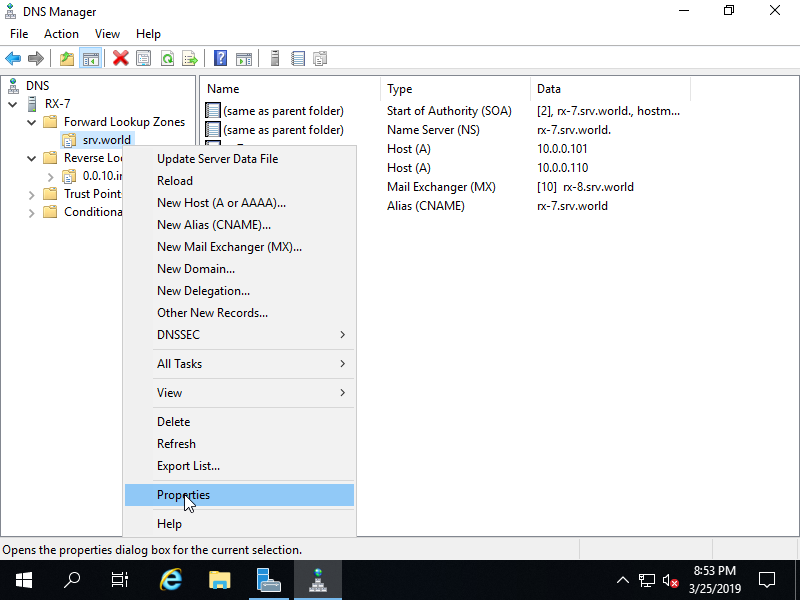
Cấu hình trên PowerShell Thêm CNAME record [fd3s] vào máy chủ [rx-7] trong Zone [srv.world]. Windows PowerShell Copyright (C) Microsoft Corporation. All rights reserved. PS C:UsersAdministrator> Add-DnsServerResourceRecordCName -Name “fd3s” -HostNameAlias
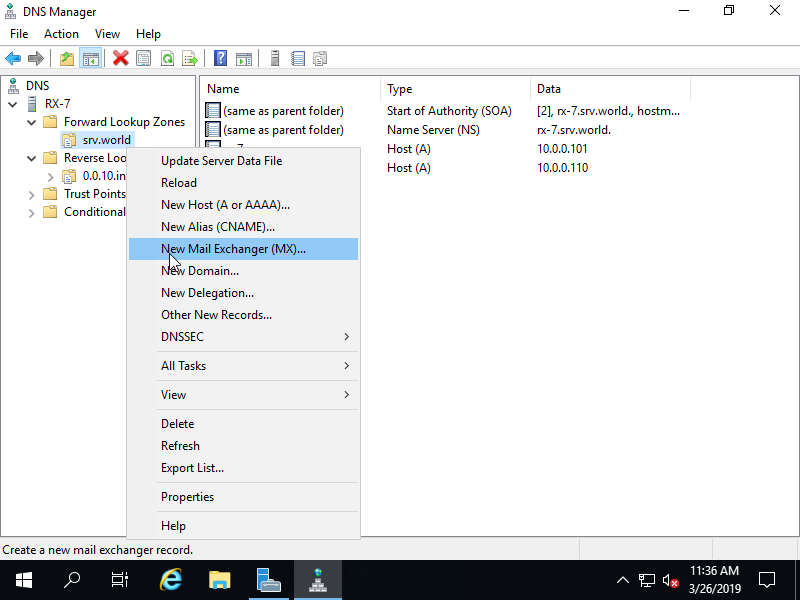
Thêm MX Record để sự dụng Mail Server. Cấu hình trên Powershell Thêm MX Record với hostname [rx-8] zone [srv.world] làm trình trao đổi mail. Windows PowerShell Copyright (C) Microsoft Corporation.
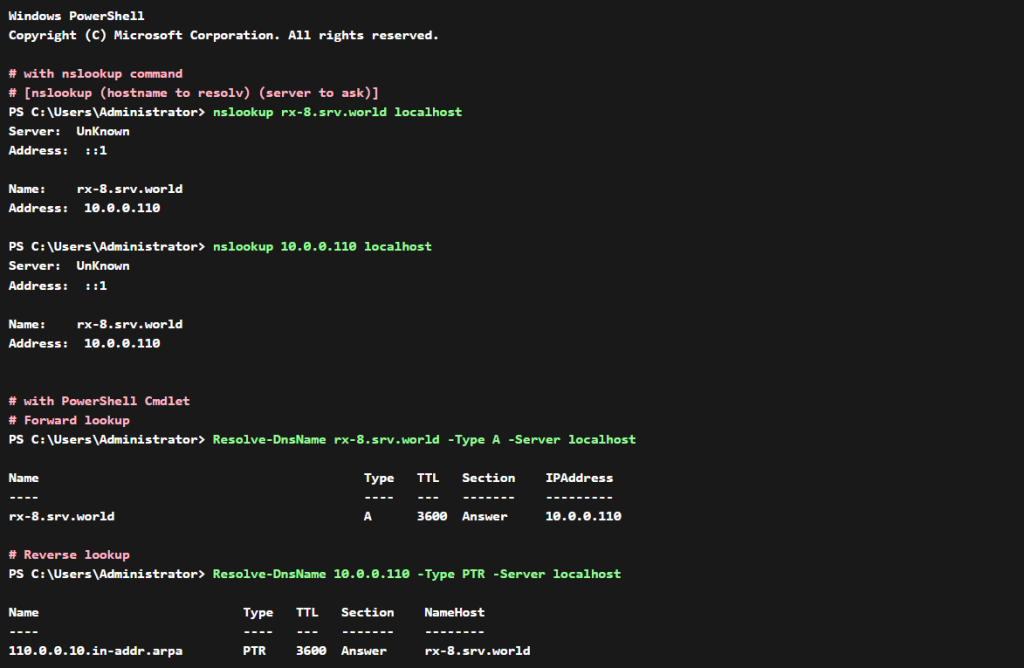
Cấu Hình Trên PowerShell Trên Powershell chạy với quyền Admin. Windows PowerShell Copyright (C) Microsoft Corporation. All rights reserved. # with nslookup command # [nslookup (hostname to resolv) (server to
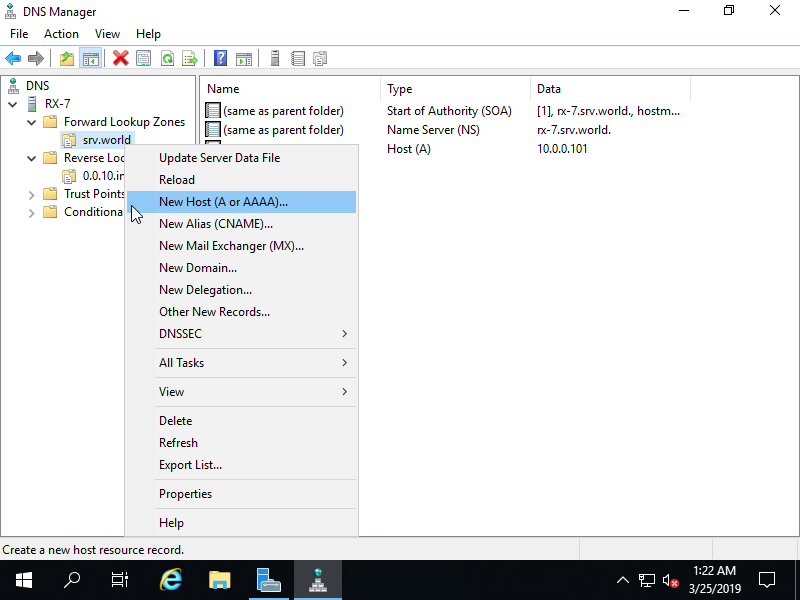
Cấu hình trên Powershell Windows PowerShell Copyright (C) Microsoft Corporation. All rights reserved. # for [-TimeToLive], set TTL value (if not specified, default [1:00:00] is set(an hour)) PS C:UsersAdministrator> Add-DnsServerResourceRecordA
Cấu hình trên powershell Windows PowerShell Copyright (C) Microsoft Corporation. All rights reserved. PS C:UsersAdministrator> Add-DnsServerPrimaryZone -NetworkID 10.0.0.0/24 -ZoneFile “0.0.10.in-addr.arpa.dns” -DynamicUpdate None -PassThru ZoneName ZoneType IsAutoCreated IsDsIntegrated IsReverseLookupZone IsSigned ——–