
Cài đặt SSL/TLS
Trên powershell Nếu bạn sử dụng chứng chỉ SSL mà bạn có hoặc tạo nó trên Máy chủ khác, hãy nhập nó trước. Nếu bạn đã tạo chứng chỉ tự
Trên powershell Nếu bạn sử dụng chứng chỉ SSL mà bạn có hoặc tạo nó trên Máy chủ khác, hãy nhập nó trước. Nếu bạn đã tạo chứng chỉ tự
Trên Powershell Mở Powershell với quyền quản trị là Admin và tiến hành cấu hình như sau: Windows PowerShell Copyright (C) Microsoft Corporation. All rights reserved. # current Web Sites
Cấu hình với powershell Windows PowerShell Copyright (C) Microsoft Corporation. All rights reserved. PS C:UsersAdministrator> Get-Website -Name “Default Web Site” Name ID State Physical Path Bindings —- — —– ————-
Trang web mặc định được cài đặt, sau khi cài đặt IIS. Nếu bạn muốn sử dụng trang web mặc định, hãy làm như sau. thiết lập trên powershell Mở
Cài đặt IIS (Internet Information Services) và Cấu hình Web Server. Cài đặt với Powershell mở Powershell với quyền quản trị admin và cài đặt IIS Windows PowerShell Copyright (C)
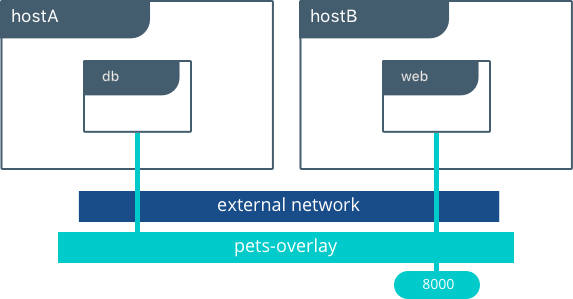
Đây là cách sử dụng cơ bản để định cấu hình Docker Network. Khi chạy các vùng chứa mà không chỉ định mạng, mạng [nat] mặc định sẽ được chỉ