Dịch vụ trọng tâm
Kết nối ổn định, bảo mật vật lý cao, đội ngũ kỹ thuật trực 24/7.
Tối ưu chi phí
Lựa chọn nhanh giữa gói phổ thông và gói NVMe theo mức tải thực tế.
Mở rộng linh hoạt
Dễ nâng cấp CPU/RAM/Storage, giữ cân bằng giữa hiệu năng và ngân sách.
Lộ trình 4 bước
Triển khai có kiểm soát, có rollback và báo cáo định kỳ rõ ràng.
Ổn định giao tiếp
Giữ độ tin cậy khi gửi/nhận email cho hoạt động kinh doanh hằng ngày.
Home » Blog » Cách tạo nhiều truy cập Remote Desktop
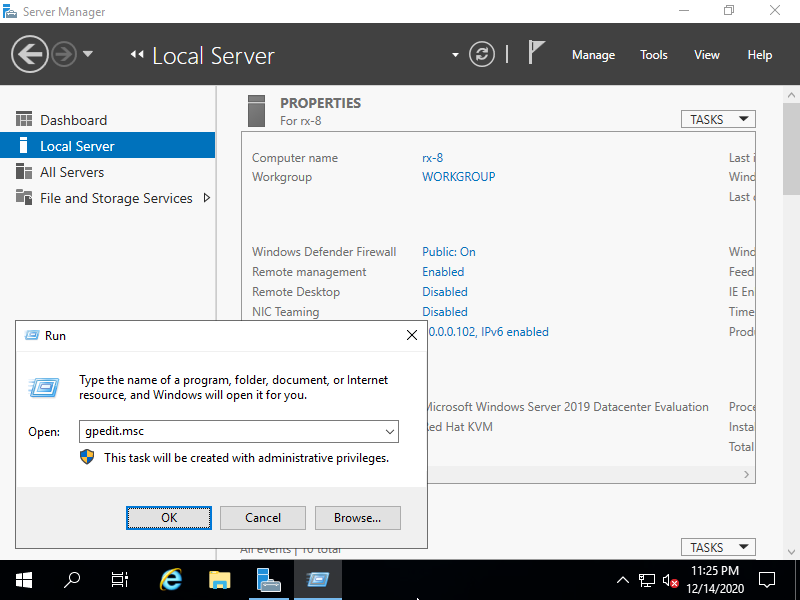
Mở Run và nhập lệnh gpedit.msc
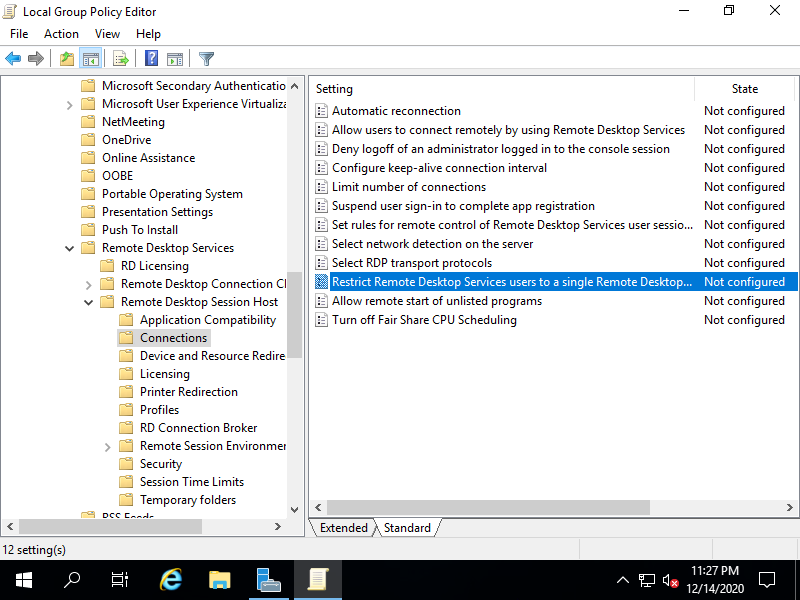
Truy cập theo đường dẫn: Administrative Templates > Windows Components > Remote Desktop Services > Remote Desktop Session Host > Connections > Restrict Remote Desktop Services users to a single Remote Desktop Services session.
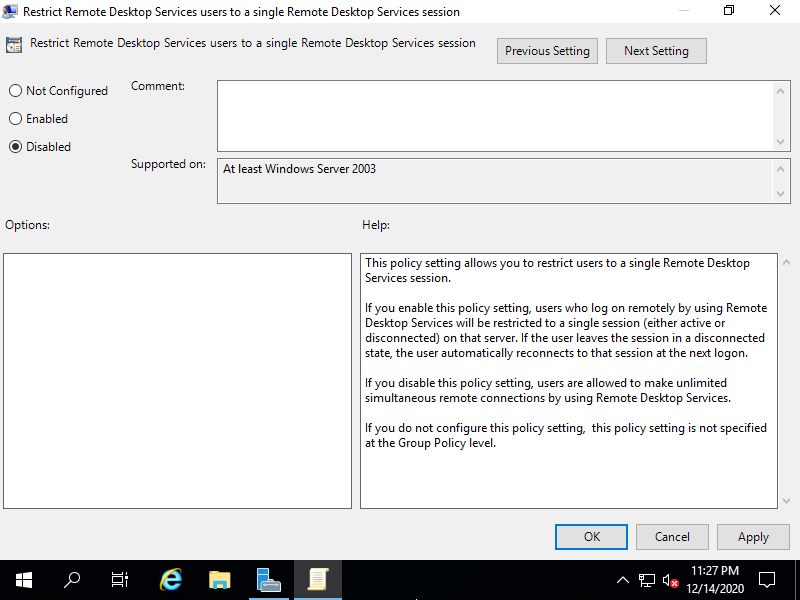
Tích chọn Disabled và bấm chọn OK
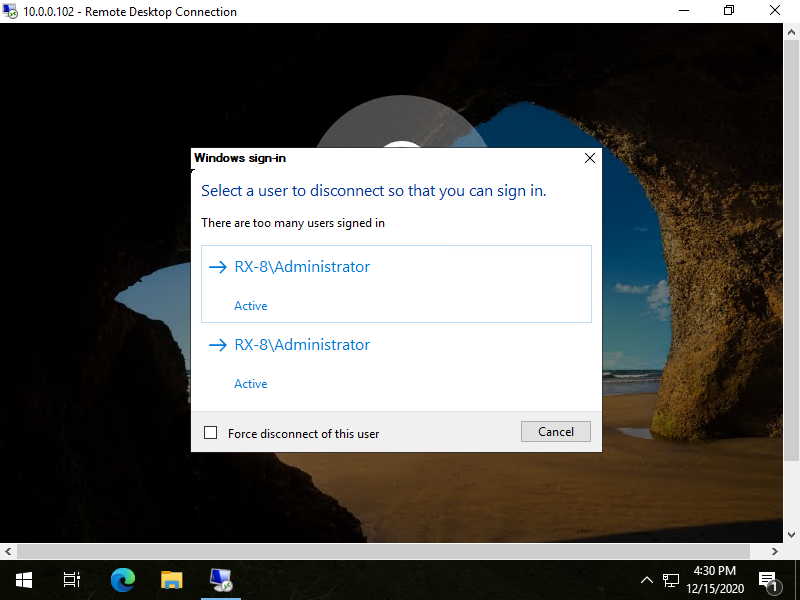
Bạn có thể kết nối với Remote Desktop với 2 truy cập, nhưng nếu bạn có nhiều hơn 3 kết nối, kết nối sẽ bị hạn chế.
Bài viết liên quan
Tin mới
Linux Mint là gì? Ưu, nhược điểm và những điều cần biết trước khi sử dụng
Fedora là gì? Ưu, nhược điểm của hệ điều hành Fedora
Debian là gì? Ưu, nhược điểm của hệ điều hành Debian
Ubuntu là gì? Tại sao Ubuntu là bản phân phối phổ biến nhất?
Linux Kernel là gì? Vì sao Linux Kernel quan trọng đối với hệ điều hành Linux?
Linux LTS là gì? Vì sao nhiều người dùng lựa chọn phiên bản LTS?